Customer management – everything about your customers in one place
Customer data, projects, contacts and communication – managed centrally and available at any time, on the road too. When a customer calls, you have everything in front of you in seconds.
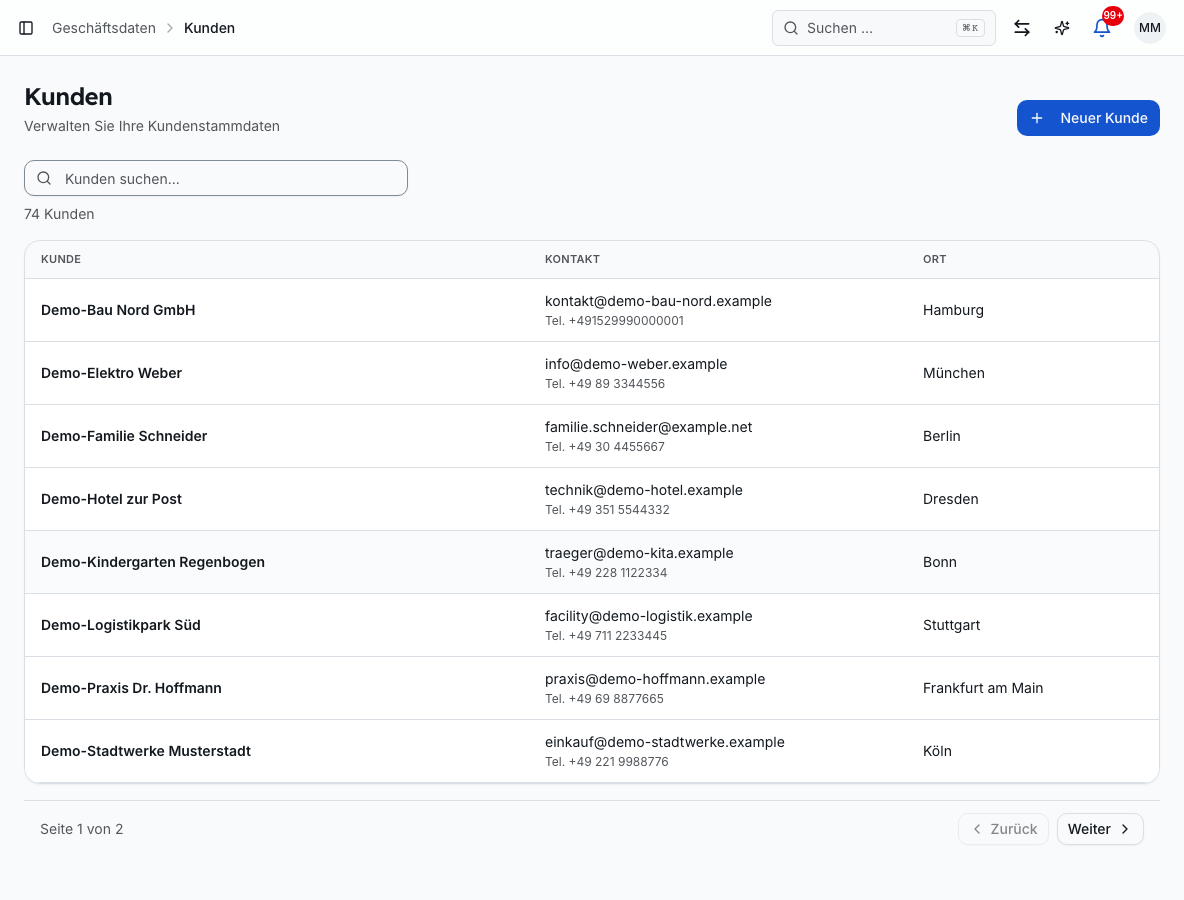
Digital customer file
Store all customer data centrally: address, contacts, communication and history. Everything clearly laid out in a digital customer file.
- Complete customer data with salutation, mobile and fax number
- Several contact persons at the customer, each with their own email and address – recipient selectable per document
- Payment & terms per customer: payment term, early-payment discount, default discount and country
- Further contacts per project, an address suffix such as department or building
- Notes and history
- Quick search, also across additional addresses; most recently used customers at the top
- Town suggested from the postcode (Germany and Austria)
Project linking
Every project is linked to its customer. That way you see the complete customer history at a glance – quotes, invoices, open items and agreements.
- Project history per customer
- Quotes and invoices
- Documents at a glance
- Total revenue per customer
Communication in one place
Emails and messages with customers stored centrally – including attachments. No more searching through different mailboxes.
- Integrated customer communication with attachments
- Customer portal access by invitation (email, SMS or link) directly from the customer record – you can revoke it at any time
- Emails linked to customer and project, write directly from the project
- Complete history
Benefits
Customers: what it does for you
- Everything in one place
- Fast access
- Better customer relationships
- No duplicate data
- Overview across projects
- Professional image
FAQ
Frequently asked questions
Yes, you can store as many contact persons per customer as you like, each with their own email and, if you wish, their own address. On the document you choose who it goes to – for example the quote to purchasing and the invoice to accounts. You set one billing contact as the default.
Yes, in the customer view you see all of the customer's projects, quotes and invoices. That way you keep track of the whole relationship.
Yes. Emails, text messages, WhatsApp messages and calls taken by Lena (the AI assistant: phone in German, WhatsApp in the customer's language) appear in the inbox and in a timeline on the customer and on the project – linked and searchable. Messages from the customer portal appear there too. You also share documents, invoices and forms via the customer portal.
Matching features
These features work hand in hand in your daily work. You'll find all the others in the overview.
Quotes & invoices
Create professional quotes, order confirmations and invoices in minutes.
Learn more – Quotes & invoices →Scheduling
Plan jobs, crews and absences on one board – with weather and capacity in view.
Learn more – Scheduling →Ready to get started?
Try Bleno free for 14 days, with no obligation. No credit card required.