Customer portal – your customers work with you, not against you
Share documents, assign tasks, fill in forms and sign securely online: in the customer portal, your customers handle their part themselves – you avoid follow-up questions, phone calls and paperwork – and look noticeably more professional. Plus a document archive and construction progress day by day.
Share and exchange documents
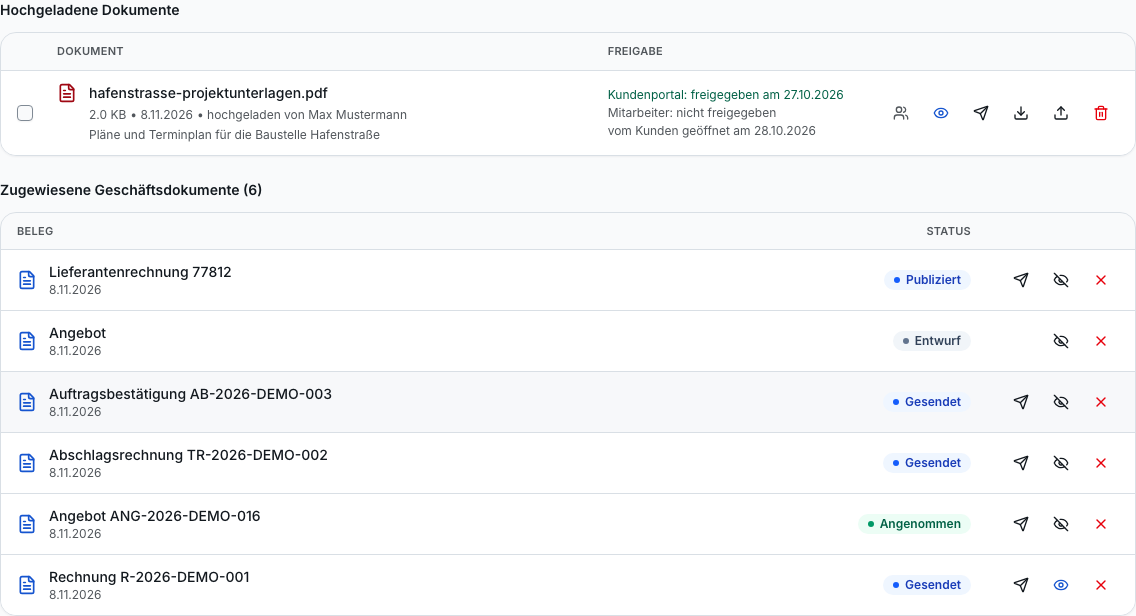
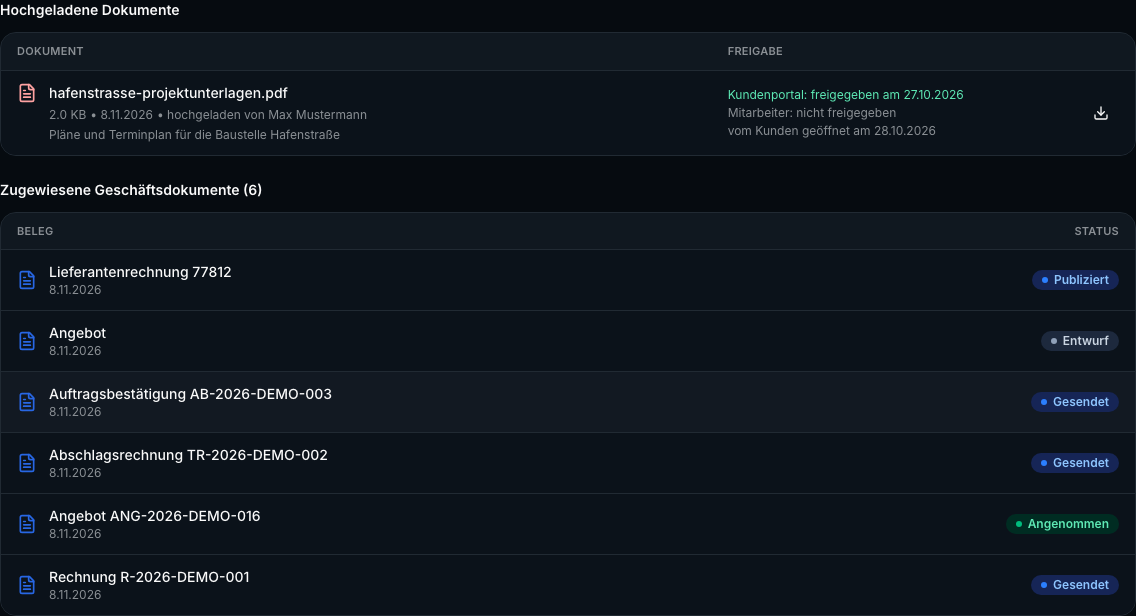
Share individual project documents with the customer in a targeted way – plans, drawings, descriptions. For each document, you see the status “Internal / Shared / Opened by customer”. Your customers open the files and, in return, upload documents and photos themselves, which appear directly in the project – marked “From customer”.
- Share documents in a targeted way (with one click)
- Status per document: internal / shared / opened
- Invoices including attachments (timesheet, terms and conditions) available in the portal
- Customer uploads files and photos themselves – documents that are not shared stay internal
- Notification when customers upload photos or files
- Email to the customer when you release new documents – bundled at most once a day, without document names or amounts, can be unsubscribed
All documents in one place
The “Documents” page in the customer portal collects everything in one place: released invoices and other documents – even without a project –, project files (always the latest version), forms across all projects, including completed ones. Customers filter by type, project and year, search by keyword and download several documents at once as a ZIP file.
- Released documents, project files and forms in one place
- Also documents without a project and completed projects
- Filter by type, project and year, plus search and a quick filter for invoices per year
- Download several documents as a ZIP file (up to 100 items / 100 MB)
Construction progress day by day
In the project folder, your customers follow construction progress day by day: the daily reports your business has released – with weather, work carried out, special occurrences and material – and released photos. Employees’ names and hours are not shown. You decide for each report and each photo whether the customer sees it.
- Released daily reports with weather, work carried out, special occurrences and material
- Released photos, day by day in the project folder
- Without employees’ names and hours
- You decide per report and photo whether it is released
Accept or decline quotes in the portal
Open quotes appear in the portal under “For decision”. Your customer sees the quote with all attachments and accepts or declines it in a few clicks – with a signature where required. You are notified straight away, with no printout and no phone call.
- View, accept or decline a quote in the portal
- Required attachments and signature, as with the acceptance link
- Notification to the office for every decision
- No printout, no follow-up call
Assign tasks to the customer
Assign project tasks either to an employee or to the customer. Customers with portal access see their to-dos under “Your tasks” and tick them off themselves – for example “Choose tile pattern” or “Send meter reading”. Overdue customer tasks are escalated automatically.
- Assign a task to an employee or the customer
- Customer ticks off completed tasks themselves
- Automatic reminder for overdue tasks
- Notification to the office on completion
Fill in forms and sign them securely
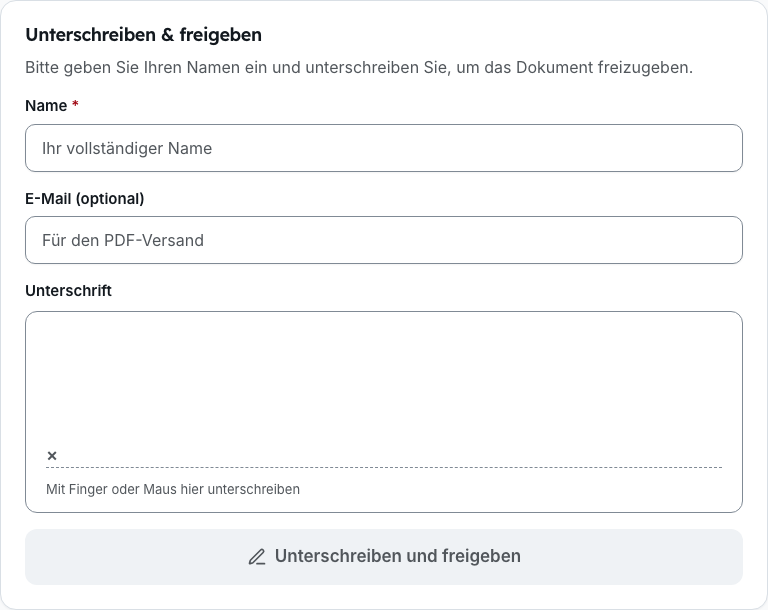
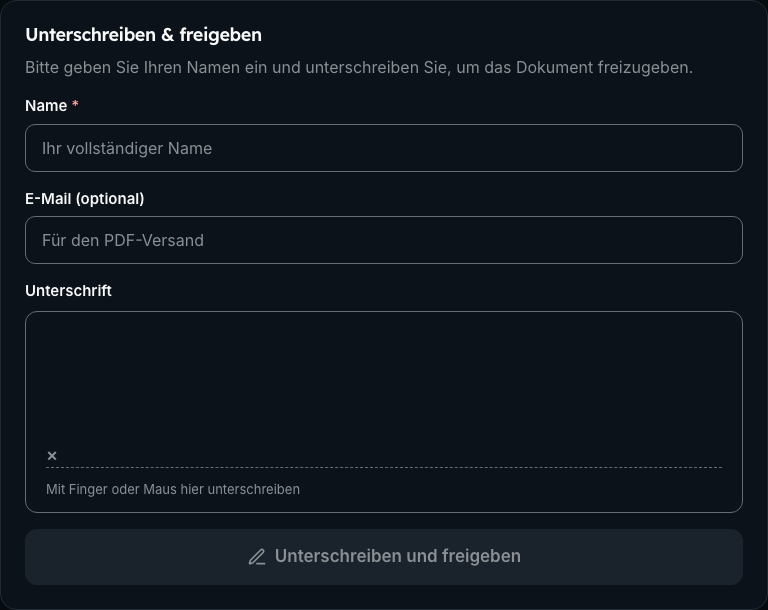
Share a form or report with the customer – they see the completed details including photos and can sign open reports securely, directly in the portal, without a separate link. Customers can fill in drafts themselves, save them in between and submit them.
- Sign acceptance reports online (securely)
- Let customers fill in questionnaires themselves
- Save a draft and submit later
- Without portal access: send the form via a signature link (valid for 14 days)
Have appointments confirmed
Customers with portal access see their fixed appointments – viewing, consultation, measuring, maintenance – and the execution periods of their projects, with only the date or time slot and the project, no employee names, and only as far ahead as your business plans. With one click they reply “Works” or “Doesn’t work” with a preferred date or note. Your scheduling does not change as a result – your office decides.
- Fixed appointments and execution periods in the portal – no employee names
- Customer confirms with “Works” or proposes another date with “Doesn’t work”
- Project managers or admins are notified; the response is visible on the appointment, in the scheduling view and on the project
- One collected notice by email, or by SMS instead (if you switch on customer SMS), for new or changed appointments – can be unsubscribed via link or in the portal
Messages to your business
Customers with portal access write to you directly in the portal – about a project or in general – and attach photos and PDFs (up to 10 MB, at most 5 per message). All portal accounts of a customer see the same history. The messages land in your customer communication next to email, calls and WhatsApp; project managers or admins are notified. You reply straight from your inbox – the reply appears in the portal – or write first yourself. The customer receives a notice by email, or by SMS instead (without the message text) if you switch on customer SMS, and can unsubscribe. Replies show the business name, not employee names.
- Message about a project or in general – with photos and PDFs (up to 10 MB, at most 5 per message)
- All portal accounts of a customer see the same history
- Arrives in customer communication (inbox, timeline) next to email, calls and WhatsApp
- Project managers or admins are notified
- Notice to the customer by email, or by SMS without the message text (customer SMS can be switched on) – can be unsubscribed
- Replies show the business name, not employee names
Benefits
Customer portal: what it does for you
- Fewer follow-up questions, phone calls and emails
- Faster acceptance thanks to online signatures
- Customer supplies photos, plans and details themselves
- Professional image with your own customer access
- All project coordination in one place
- Automatic notification on signature, completed task and appointment feedback
- Customers write in the portal – the message lands in your customer communication
- Customers see documents and construction progress themselves – without asking
FAQ
Frequently asked questions
Your customers receive their own secure portal access by invitation (email, SMS or a link you can pass on) – without installing any software. You control per customer whether portal access exists, and you share documents, tasks and forms per project in a targeted way.
Yes. Customers sign reports directly in the portal on a signature pad – with time and proof, just like acceptance reports on site. The signature appears in the finished document.
No. Customers see only what you explicitly share – individual documents, assigned tasks, shared forms, and released daily reports and photos in the construction progress (without employees’ names and hours). Everything else stays internal.
Yes. If a customer signs a report, completes a task, uploads photos or files or decides on a quote, you receive a notification with a link to the project. If a customer confirms an appointment or replies “Doesn’t work” with a preferred date, project managers or admins are notified. If a customer writes in the portal, project managers or admins are notified. Overdue customer tasks also trigger a daily reminder.
Matching features
These features work hand in hand in your daily work. You'll find all the others in the overview.
Digital signatures
Customers sign on the tablet or online – a simple electronic signature under eIDAS.
Learn more – Digital signatures →Digital forms
Daily reports, checklists and acceptance reports filled in digitally and shared as PDF.
Learn more – Digital forms →Maintenance contracts
Recurring maintenance with equipment data, checklists and automatic invoicing.
Learn more – Maintenance contracts →Security & privacy
Data in Frankfurt, strict separation per business, roles and optional two-factor sign-in.
Learn more – Security & privacy →Ready to get started?
Try Bleno free for 14 days, with no obligation. No credit card required.