Employee app – the office in your team’s pocket
No more scraps of paper, endless phone calls and WhatsApp groups: in the morning your employees see where they are heading, book their times with a tap or by voice, photograph progress on site and report missing material – and in the office you have everything on your desk straight away.
The app for your team – free on the App Store and Google Play
Check your phone in the morning – and off you go
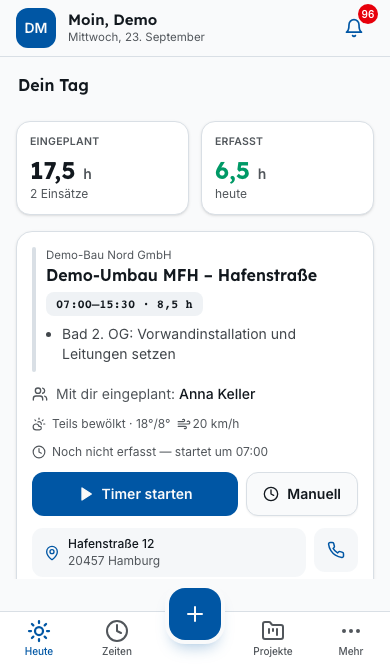
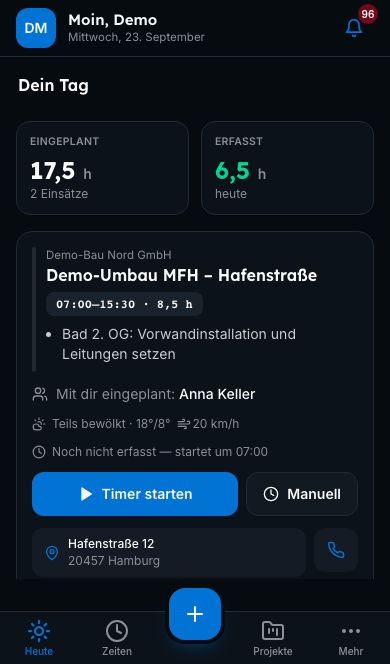
The today view shows your employee at a glance which site they are scheduled for, who they are working with and what needs doing. If the plan changes, a push notification arrives immediately – no more calls at 6 in the morning.
- Daily plan with project, address, start time, meeting point (with map) and the day’s colleagues
- “My plan” with an overview of the week
- Push notification for new or changed assignments
- You decide how far ahead your team can look in the plan
Log time in seconds
Your team books working time, travel time, loading and breaks with a tap or hands-free by voice – “Today 5 hours on project Müller”. Anyone who forgets to book is reminded automatically. And anyone without a smartphone clocks in at the kiosk tablet in the workshop.
- Start/stop timer or add times later, assigned to a project
- Log time by voice command
- Start and stop the timer on an Android watch (Wear OS)
- Automatic reminder for missing times
- View your own weekly hours and overtime account
All project documents to hand
Plans, documents, photos and agreements are stored on the project – not in the glovebox or in a private WhatsApp chat. Your team photographs progress directly into the project, fills in daily reports and acceptance reports and lets the customer sign on the phone.
- Scope of work from the quote – with quantities, without prices
- Project documents, plans and photos available at any time
- Upload photos directly to the project
- Daily reports, checklists and acceptance reports with signature
- Voice note in the project: from it, Bleno suggests a daily report, tasks, measurements and material required
- Tasks with deadlines – and the project chat right next to them
Materials: pick, load and report shortages
Your team sees the loading list for the site and ticks items off while loading. Withdrawals from the warehouse or vehicle are booked to the project by QR scanning, and the fitter reports missing material directly from the app. That way every part fitted ends up in job costing – and on the invoice.
- Loading list per project to tick off
- Book material withdrawals to the project with a phone camera scan
- Report material required from the site
- Record material used directly on the project
Holidays, sick notes, documents – without paperwork
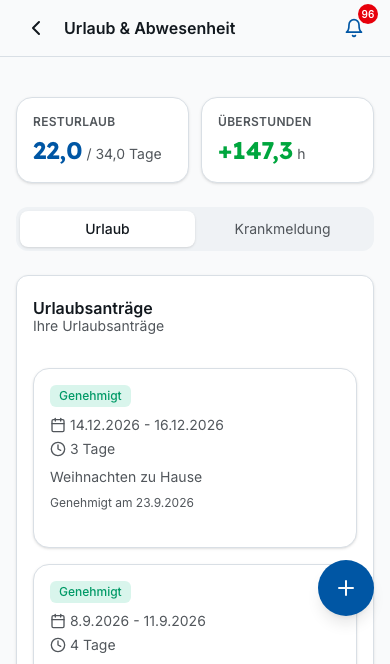
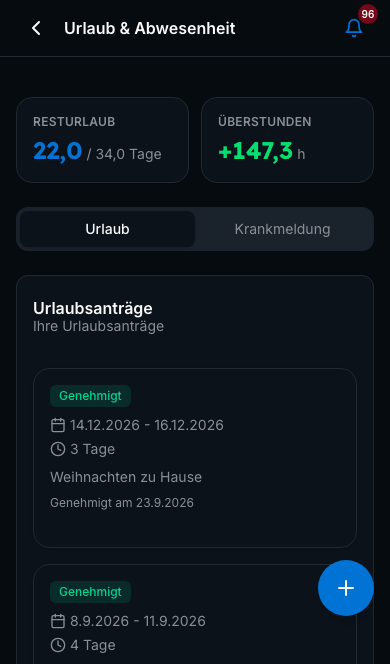
Requesting holidays, uploading a sick note with proof, viewing their own contracts and certificates, keeping contact details up to date: your employee does all this themselves in the app. You approve with one click, and the employee is informed.
- Holiday request showing remaining leave
- Sick note with period and proof upload
- View your own documents from the employee file
- Company chat, inbox and support tickets in one place
In the App Store, on Google Play – or directly in the browser
The Bleno app is available in the App Store and on Google Play – reviewed by Apple and Google. Your employee downloads the app, signs in with their account and is ready to go, without any installation by IT. Anyone who would rather not download an app uses Bleno in the browser and adds it to the home screen with a tap. Updates arrive automatically.
- Native app for iPhone and Android, alternatively in the browser
- Push notifications for assignments, tasks and messages
- Employees only see what they are meant to see – no prices, no other people’s documents
- Automatic updates, with news under “What’s new”
- Owners and admins record their times in the app too – you open the office area in the browser
Keep working without reception
Basement, shell construction, countryside: on iPhone and Android, the Bleno app starts straight into time tracking without a connection. Projects and forms such as the daily report or acceptance report can be opened, created, given photos and signed. As soon as there is a connection again, the app transfers everything automatically.
- Clock in and add times without a connection
- Open and create projects and forms offline and have them signed
- Photos wait on the device and are uploaded automatically later – without duplicate images
- If the server rejects a booking, it stays visible with the reason instead of silently disappearing
- Requirement: the app has been opened once with a connection beforehand
In your team’s language
Your crew does not only speak German? Every employee chooses their own language for the app. On first launch, Bleno suggests the phone’s language.
- Fourteen languages: German, English, Polish, Romanian, Ukrainian, Russian, Turkish, Bulgarian, Croatian, Dutch, French, Italian, Spanish and Portuguese
- Everyone sets the language in their own profile
- The office stays in its language, documents sent to customers stay unchanged
Benefits
Employee app: what it does for you
- No more endless phone calls – plan changes arrive by push
- No lost timesheets
- Complete photo documentation right on the project
- No forgotten material on the invoice
- Fewer queries in the office
- App from the App Store or Google Play – ready to go without training
- Record times, forms and photos even without reception
- In fourteen languages – a good fit for mixed teams
FAQ
Frequently asked questions
Yes. The native app “Bleno: Zeiterfassung Handwerk” (Bleno: time tracking for the trades) is available free of charge in the App Store for iPhone and iPad and on Google Play for Android. Your employees sign in to it with their Bleno account. Anyone who does not want to download an app uses Bleno directly in their smartphone’s browser and adds it to the home screen with a tap – also with push notifications.
No. Employees see their assignments, their projects with the released documents, their own times and their own employee file. Calculations, invoices and other employees’ documents stay in the admin area.
They can clock in and out at the kiosk tablet in the workshop or site cabin. Alternatively, the foreman enters their hours in the daily report, or you add them in the admin area.
Yes, the app from the App Store and Google Play does. Without a connection, it starts straight into time tracking; projects and forms such as the daily report or acceptance report can be opened, created, given photos and signed. Everything is transferred automatically as soon as there is a connection again. The requirement is that the app has been opened once with a connection beforehand.
In fourteen languages: German, English, Polish, Romanian, Ukrainian, Russian, Turkish, Bulgarian, Croatian, Dutch, French, Italian, Spanish and Portuguese. Each person chooses their language in their own profile; the office and the documents sent to your customers are not affected.
The employee app is included in every plan. You only pay for the employee seats you actually use – you will find the current prices on the pricing page.
Matching features
These features work hand in hand in your daily work. You'll find all the others in the overview.
Time tracking
Employees record working time in the app – per project, with breaks and approvals.
Learn more – Time tracking →Scheduling
Plan jobs, crews and absences on one board – with weather and capacity in view.
Learn more – Scheduling →Site documentation
Daily reports, acceptance reports and photos – filed directly on the project.
Learn more – Site documentation →Team chat
Internal chat per project plus a company chat – with files, photos and voice messages.
Learn more – Team chat →Materials & inventory
Item catalogue, stock with QR scanning, loading lists and material costs per project.
Learn more – Materials & inventory →Compliance records & safety briefings
Recurring health and safety duties per employee: sign briefings on the phone, get reminders before they are due, export for inspections.
Learn more – Compliance records & safety briefings →Ready to get started?
Try Bleno free for 14 days, with no obligation. No credit card required.