Quote and invoice software for trades and construction
Create professional quotes and invoices in seconds. From drafting the quote to the document overview – everything in one piece of software.
Editing documents
Edit quotes and invoices directly in the editor: line items, quantities, prices, discounts and customer details stay traceable in one place.
- Editor with line items and totals
- Quick adjustment of quantities, prices and discounts
- Templates and master data right inside the document
- Automatic calculations before publishing
- A quote can also be issued as a cost estimate with its own title and its own text templates
- Subtotals structure long quotes, alternative line items appear in the quote with their price without increasing the total
- Formatted text – font, colour, bullet lists; text copied from Word keeps its formatting
Final PDF & e-invoice
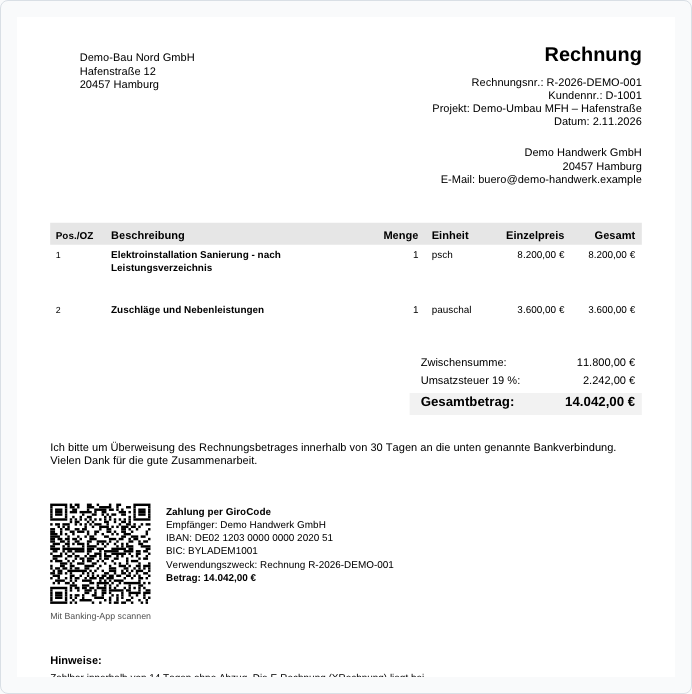
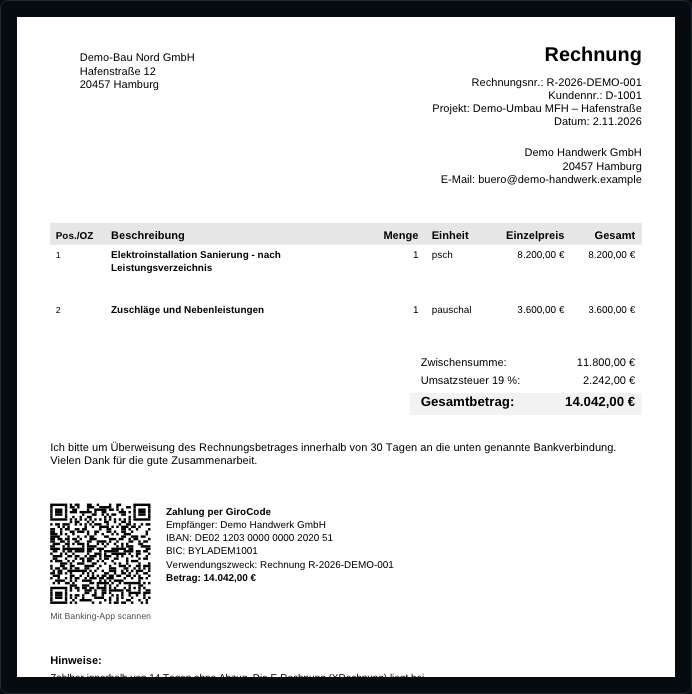
Check the finished document as a PDF preview before sending it. Invoices come out looking professional and ready for e-invoicing.
- Finished PDF preview with letterhead and line items
- E-invoices compliant with the German ZUGFeRD standard
- Progress and final invoices per project – the progress invoice based on line items, a percentage of the total or a fixed amount; the final invoice deducts every progress invoice visibly and shows the remaining amount
- Delivery note from a quote, order confirmation or invoice – without prices, with a “Goods received” field for the signature – also in partial deliveries: Bleno shows what has already been delivered per line item and suggests the rest
- Download, print and send from the detail view
- Versioning after publishing, compliant with the German GoBD rules
Sending and tracking
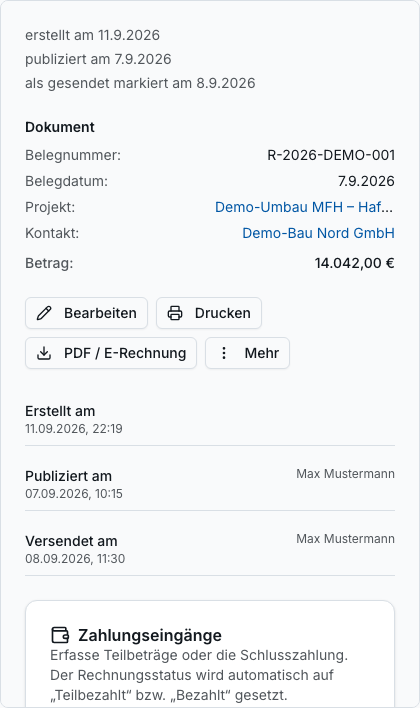
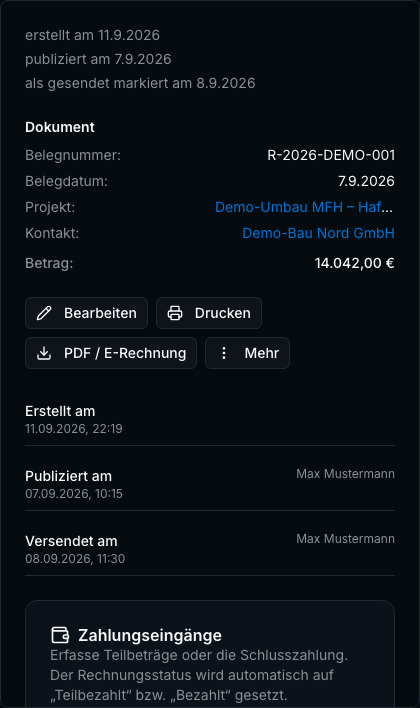
After publishing, you see the status, sending history, project link and open follow-up actions right on the document. So the office always has an answer to hand.
- Status for draft, published, sent and paid
- Sending and editing history on the document
- Project and customer link without searching
- Quick access to download, print and follow-up documents
Saving time with master data
Materials, services and customer details are stored centrally in your master data. When creating documents, you access them with a single click – and drafts save themselves as you go.
- Central master data management for items, services and customers
- Quick access when creating documents, quotes even without a project
- Automatic price transfer, adjustable default validity and payment term
- Payment term, early-payment discount and discount per customer – new documents take them over automatically
- Drafts save automatically – no more lost text
Calculating services as building blocks
Set up services once and calculate them properly: several labour rows for skilled worker and helper (gang rates), a bill of materials, target price and hourly charge-out rate. Services can be built into other services as building blocks – and you keep catalogue prices up to date with one click.
- Gang rates: several labour rows per service (e.g. skilled worker + helper)
- Services as building blocks with sub-services and a bill of materials
- Target price, hourly charge-out rate and default labour mark-up per service
- Update catalogue prices with one click – labour and material shares stay saved per line item
- Categories and tags for the service catalogue, duplicate services or convert them into items
- Price adjustment at the turn of the year: raise whole service groups by X% with one click
Draft a quote with AI – or simply dictate it
Paste in bullet points, a customer enquiry or your note from the site visit – or speak it in directly on site. Bleno suggests matching line items from it: first from your own service building blocks with bill of materials and labour, then from your item catalogue. You check every suggestion, adjust quantities and only accept what fits.
- Paste bullet points, a customer enquiry or a note – or dictate via microphone, on your phone too
- Spoken numbers and units become “24 m²” or “2×” – you correct the recognised text before the suggestions arrive
- Suggestions first from your service building blocks, then from your item catalogue – with source and confidence per line item
- Missing quantities and line items without a price are flagged for review – Bleno never invents quantities
- Start directly from the quote editor, from the project or from an enquiry
- Nothing is saved until you do it – the voice recording itself never is, only the checked text as an internal note on the draft
Monthly billing runs by itself
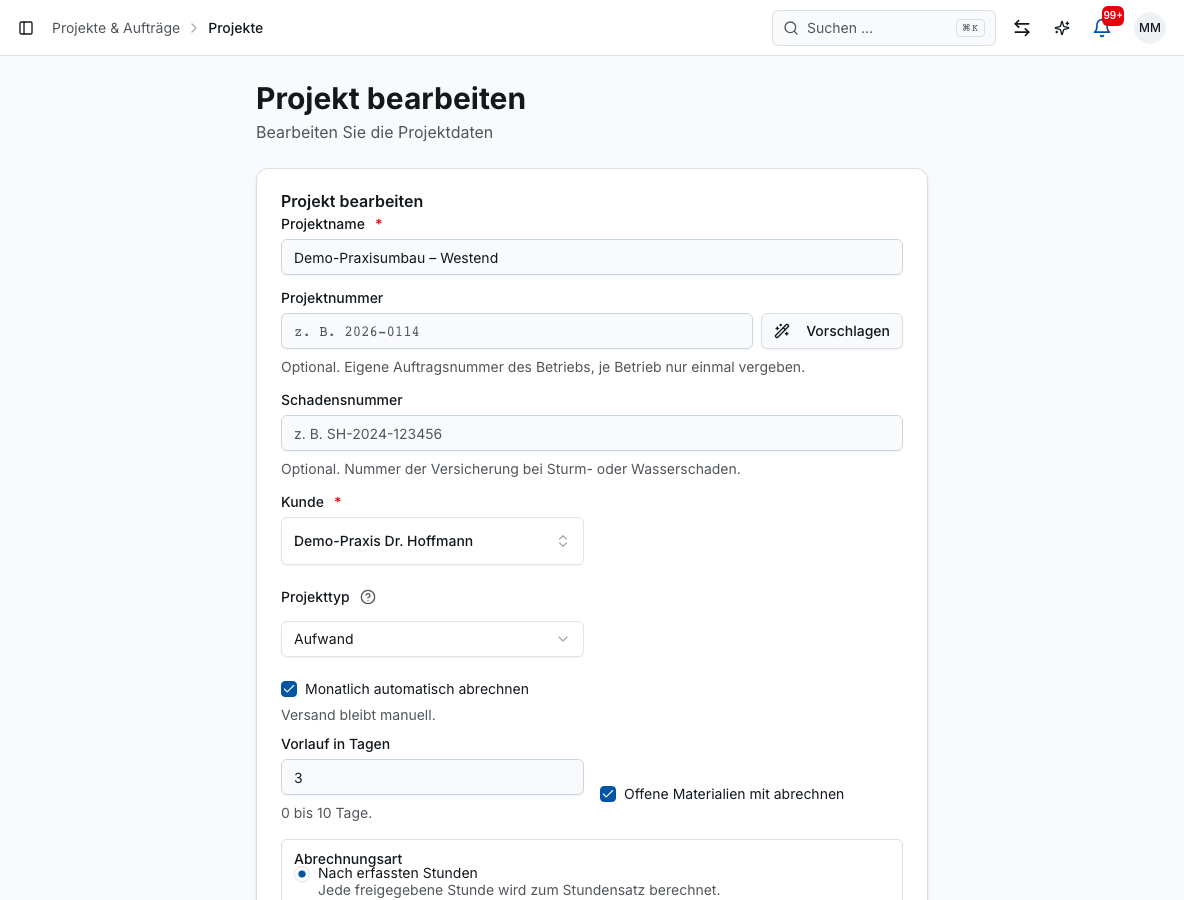
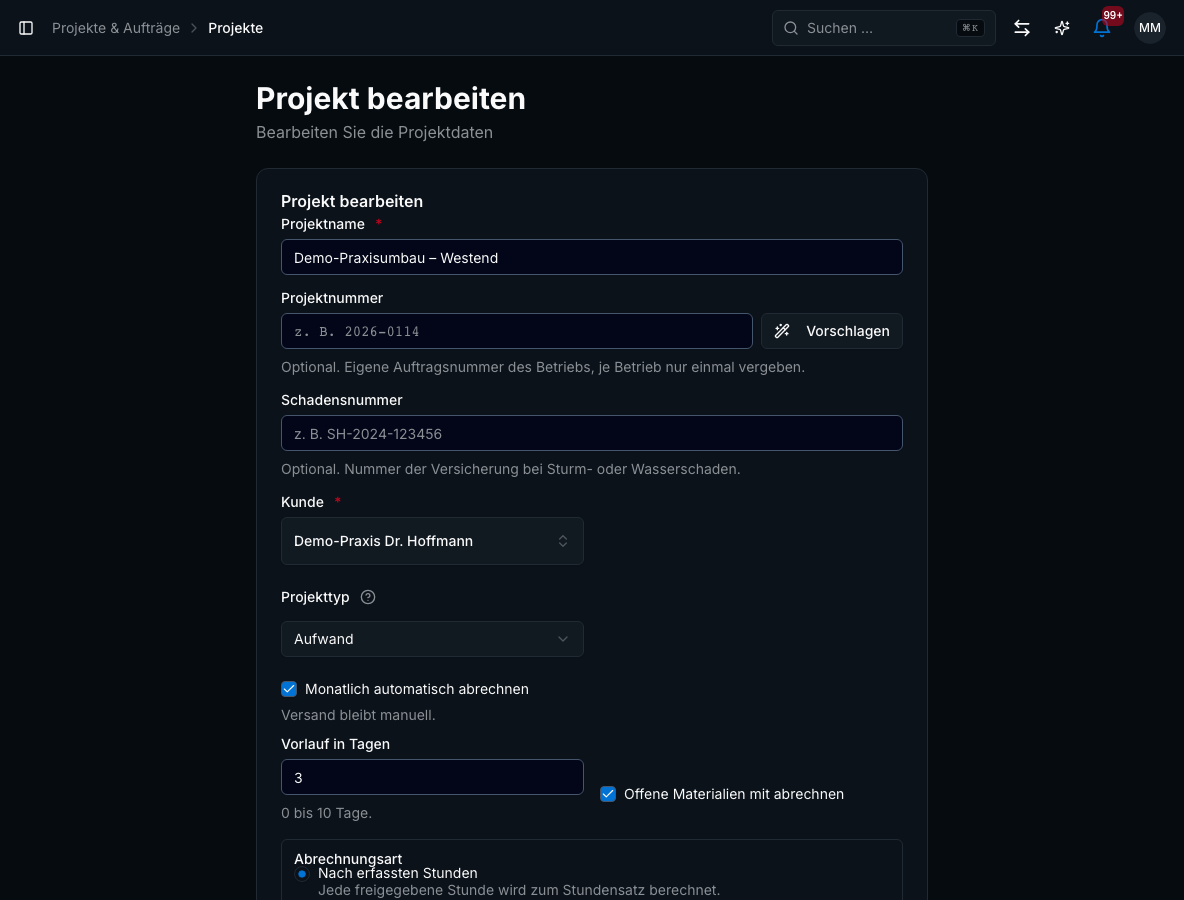
For time-and-materials projects, Bleno creates the invoice automatically as a draft – weekly, fortnightly or monthly. The hours are kept up to date until sending; you check and send it off. Bleno also bills monthly flat rates with an hours account and a fixed additional service automatically, as with maintenance or service contracts.
- Time-and-materials projects automatically as an invoice draft – with adjustable lead time
- Hours are updated in the draft until sending, with a notice for changed hours or a differing hourly rate
- Monthly flat rate with an hours allowance and a fixed additional service (SLA contracts)
- Add hours manually too, timesheet as an attachment to the invoice
Attachments & timesheet
Attach whatever the customer needs to quotes, order confirmations and invoices: terms and conditions and payment notes as default attachments, photos and files from the project, the measurement sheet or the timesheet. With e-invoices, the attachments are embedded directly in the XML.
- Default attachments (terms and conditions, payment notes) automatically on every invoice
- Take attachments from the project, image attachments from the chat
- Automatic measurement sheet, section overview and timesheet per project
- Attachments embedded in German XRechnung/ZUGFeRD e-invoices – one package for the customer
Individual layout & mandatory details
Add your logo and adapt the document design to your business – from the classic layout to a business letter with a window-envelope address field. Bleno sets the legal notices correctly by itself.
- Your own logo, letterhead, colours and several document design variants (including “Geschäftsbrief” (business letter))
- Any number of named text templates for introduction, payment terms, closing and email
- Project name, project number and contact person on the document, an address suffix such as department or building in the address field
- Tax treatment per document: reverse charge under section 13b UStG (German VAT act), services to other EU countries, intra-community supplies, exports outside the EU – with the matching mandatory notice
- Document language per customer or per document: English, German, Dutch, French, Italian, Spanish or Portuguese
- Show labour costs under section 35a EStG (German income tax act), small-business notice, cancellation with remark
- Correct an invoice: credit note or invoice correction only for the difference, the outstanding amount drops automatically
- Retention under section 17 VOB/B (German construction contract rules) on progress and final invoices: show it, track it, bill it later
Let customers accept quotes with one click
The fastest way to win the job: your customer opens the quote via the link in the email and accepts it in a few clicks – no customer account, no printing and faxing back, with an on-screen signature if you require one, secured by a postcode check. The acceptance is recorded with its time on the quote, and you are notified straight away.
- Accept or decline directly from the email – no login for the customer
- Proof of acceptance with timestamp right on the quote
- Instant notification as soon as the customer has decided
- Create an order confirmation, project or invoice from the accepted quote – choose invoice, progress invoice or final invoice in the same step
- Accepted by mistake? Admins withdraw the acceptance with a reason as long as no invoice has been created from it – the customer decides again, the history is kept
No order and no euro gets lost
Bleno shows you where money is being left on the table: quotes you should follow up on, accepted orders without a follow-up document, work done that has not been billed yet, and finished invoices that have not been sent yet.
- Overdue quotes to follow up on at a glance
- Accepted quotes without an order confirmation or invoice
- Services not yet billed per project
- Record payments and part payments directly on the invoice, reminder with one click
Direct email sending
You send quotes and invoices directly from Bleno – via your own mailbox, to several recipients, with a delivery report. Customers without a customer portal receive a secure download link.
- Sending via your own mailbox with your signature
- Several recipients, project contact automatically in the To or CC field
- Several contact persons at the customer: the quote goes to purchasing, the invoice to accounts
- Delivery report if an invoice does not arrive – mark printed documents as sent
- Download link with postcode check for customers without a customer portal – validity adjustable (7 to 365 days)
Prices with margin instead of gut feeling
Bleno calculates the selling price automatically from purchase price and margin – across several levels: default, item, customer and project margin. An info icon on each line item shows how it was derived. With an internal mark-up or discount per document, you adjust the result without it being visible on the customer PDF.
- Selling price automatically from purchase price + margin
- Default, item, customer and project margins
- Derivation traceable per line item
- Internal mark-up/discount per document (not on the customer PDF)
Switching without losing data
Coming from Lexware Office (formerly Lexoffice, German accounting software), WEKA, another program or from Word and Excel? You import customers and items from Lexware Office, and customer addresses from the WEKA trades software too. Drag older quotes and invoices into Bleno as PDFs – the AI reads out document number, customer and amounts, and your history stays complete.
- Import older quotes and invoices via drag & drop
- Take over customers and items from Lexware Office (formerly Lexoffice, German accounting software), and customers with contact persons and terms from WEKA
- Continue number ranges instead of starting at 1
- History per customer and project is kept
Benefits
Quotes & invoices: what it does for you
- Faster document creation
- Win jobs faster: customers accept quotes with one click
- No forgotten follow-ups or billing
- Fewer errors thanks to automation
- More professional appearance
- Calculate services once, use them again and again
- Time-and-materials projects bill themselves monthly
- E-invoices that meet German requirements
- Better overview of all documents
FAQ
Frequently asked questions
Yes, you can create your own templates and customise them. The layout can be designed with your logo and company colours – several document design variants, including a business letter, are available to choose from.
Yes, Bleno supports e-invoices compliant with the German ZUGFeRD standard and is therefore ready for the German E-Rechnungspflicht (mandatory e-invoicing) in force since 2025. Attachments such as the timesheet or terms and conditions are embedded directly in the e-invoice.
With drag-and-drop, your master data and pre-calculated services, you create a professional quote in just a few minutes. Drafts save automatically.
Yes, you send quotes and invoices by email directly from the software – via your own mailbox, to several recipients and with a delivery report. Customers without a customer portal receive a download link.
Bleno supports detailed calculation with labour and material costs, gang rates with several labour rows, bills of materials, target price and multi-level margins. That way you keep an eye on your profit margins.
Yes. If you activate automatic billing on the time-and-materials project, Bleno creates an invoice draft weekly, fortnightly or monthly and keeps the recorded hours up to date until sending. Monthly flat rates with an hours account and a fixed additional service are billed automatically too.
Yes. The quote sent by email contains a link through which your customer can accept or decline the quote without an account of their own. The decision is saved with its time on the quote, and you are notified straight away.
Yes. You drag older quotes and invoices into Bleno as PDFs – the AI extracts the document number, customer and amounts. You import customers and items directly from the German software Lexoffice.
Matching features
These features work hand in hand in your daily work. You'll find all the others in the overview.
Scheduling
Plan jobs, crews and absences on one board – with weather and capacity in view.
Learn more – Scheduling →Site documentation
Daily reports, acceptance reports and photos – filed directly on the project.
Learn more – Site documentation →GAEB tender files (Germany)
Import German GAEB tenders (X83) and return your quote in the same standard – for public contracts and professional data exchange.
Learn more – GAEB tender files (Germany) →Measurements
Record measurements with formulas per line item and take them straight into the quote.
Learn more – Measurements →Maintenance contracts
Recurring maintenance with equipment data, checklists and automatic invoicing.
Learn more – Maintenance contracts →Email integration
Connect Gmail, Outlook or IMAP and work with emails in the context of the project.
Learn more – Email integration →Switching & setup
From Lexware Office (German accounting software, formerly Lexoffice), WEKA, Word or spreadsheets to Bleno: import data, set up step by step, start with videos and support.
Learn more – Switching & setup →Ready to get started?
Try Bleno free for 14 days, with no obligation. No credit card required.