Schedule temporary workers – external staff on the same board
Peak workload covered by agency staff? Schedule temporary workers on the planner just like your own employees, let them clock their times themselves in the app or record their hours in the daily report – and keep the complete site staffing in view in one place.
Schedule them like your own employees
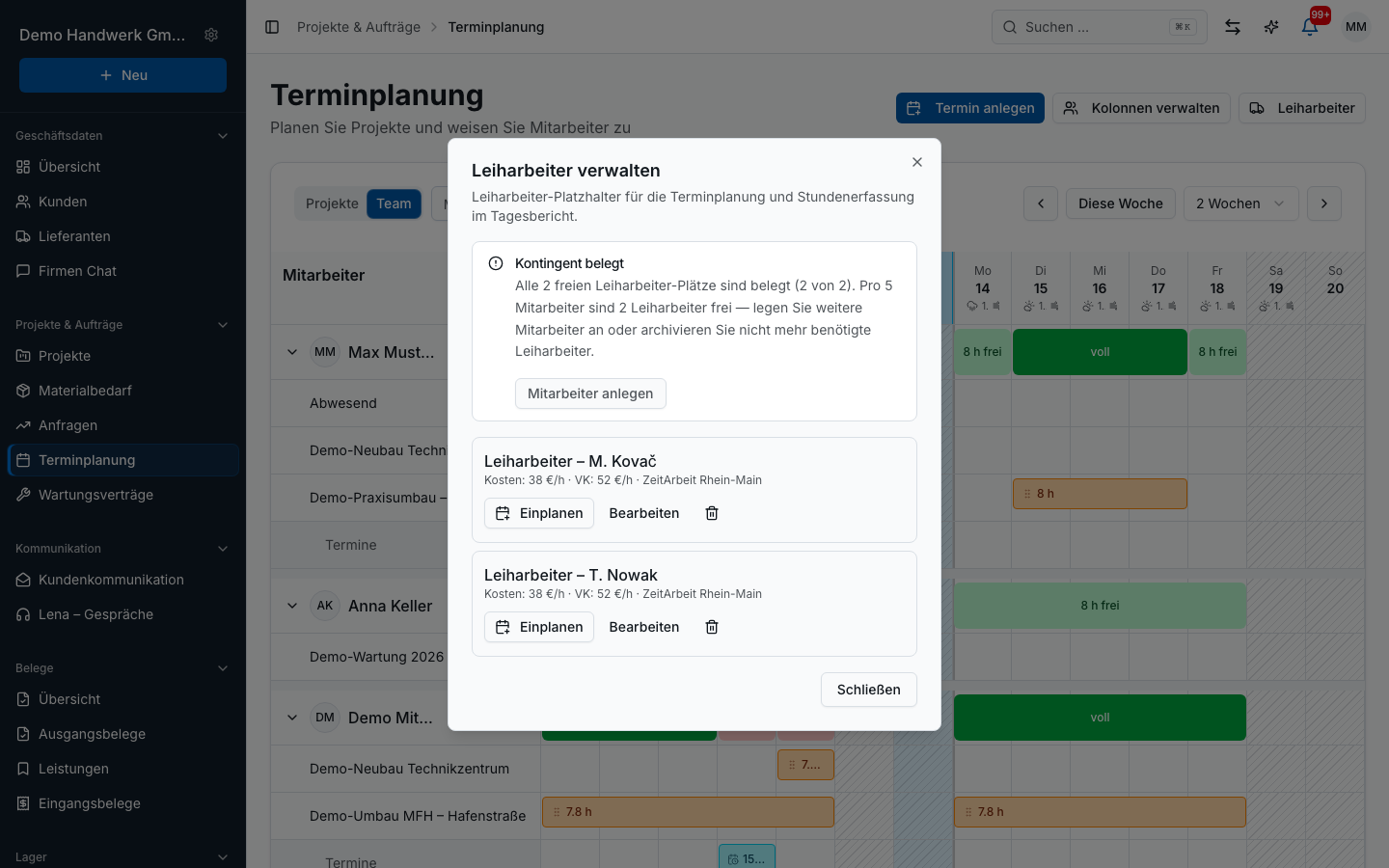
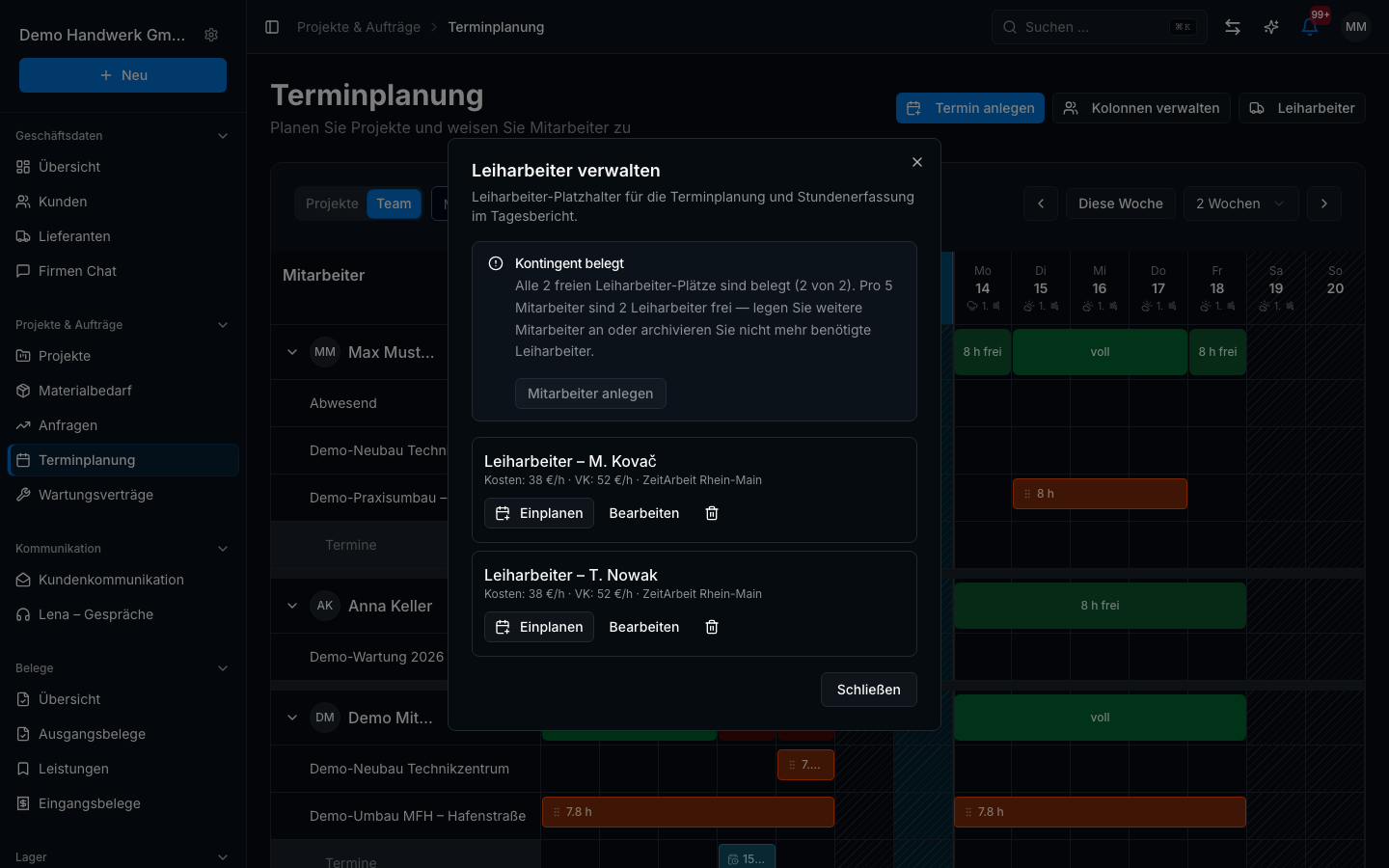
Create temporary workers as placeholders and schedule them on the planner for projects and periods just like your own employees. They appear on the team board with their own row and are visible to everyone doing the scheduling.
- Create temporary workers as placeholders
- Schedule them on projects like your own employees
- Visible on the team board with their own row in the weekly plan
- No separate spreadsheet needed
Record hours in the daily report
The hours worked by temporary workers are recorded directly in the daily report (site diary) – assigned to the right project with a clear record, e.g. for settling up with the staffing agency later.
- Hours recorded in the daily report
- Assignment to the exact project
- Traceable documentation
- Hours in the project timesheet – the basis for billing with the agency
They record their own times in the app
Invite temporary workers to the Bleno app by text message. In the “My assignment” area of the app (German: “My assignment”), they record their times themselves – even without signal on the site – and see their assignments with the address. That is all they see: no customers, no prices, no colleagues. You approve the hours as usual.
- Invitation by text message, sign-in without a password
- Timer or add entries later – even offline
- Only their own assignments and times are visible
- Every time entry goes through your approval
Included in your plan, linked to your headcount
The temporary worker feature is included in the Team and Business plans. The free allowance is linked to your number of employees: for every five of your own employees, two active temporary workers are included – so capacity grows with your business.
- Included in the Team and Business plans
- Two active temporary workers included per five employees
- Capacity grows with your team
- Fully unlocked during the trial – with up to five temporary workers
Benefits
Temporary workers: what it does for you
- Complete site planning including external staff
- Temporary workers on the board like your own employees
- Hours cleanly documented per project
- No spreadsheet on the side
- Capacity grows with your headcount
FAQ
Frequently asked questions
Nothing extra: the feature is included in the Team and Business plans. Two active temporary workers per five of your own employees are included; during the trial, it is fully unlocked.
Yes, in two ways. Either the foreman records the hours per project in the daily report (site diary) – ideal as proof for billing with the staffing agency. Or you invite temporary workers to the Bleno app by text message: under “My assignment” they clock their times themselves, even without signal, and see only their own assignments. You approve the hours under “Review times”.
Yes. You schedule temporary workers as placeholders on the planner just like your own employees – they appear with their own row on the team board. They do not count towards the utilisation display of your own employees.
Matching features
These features work hand in hand in your daily work. You'll find all the others in the overview.
Scheduling
Plan jobs, crews and absences on one board – with weather and capacity in view.
Learn more – Scheduling →Time tracking
Employees record working time in the app – per project, with breaks and approvals.
Learn more – Time tracking →Site documentation
Daily reports, acceptance reports and photos – filed directly on the project.
Learn more – Site documentation →Ready to get started?
Try Bleno free for 14 days, with no obligation. No credit card required.