Job scheduling software – the digital planning board for your crews
Clear project and assignment planning for your business, so you always see who is working on which site. The team calendar adds a combined overview of availability, holidays and other absences to the planning.
Project management
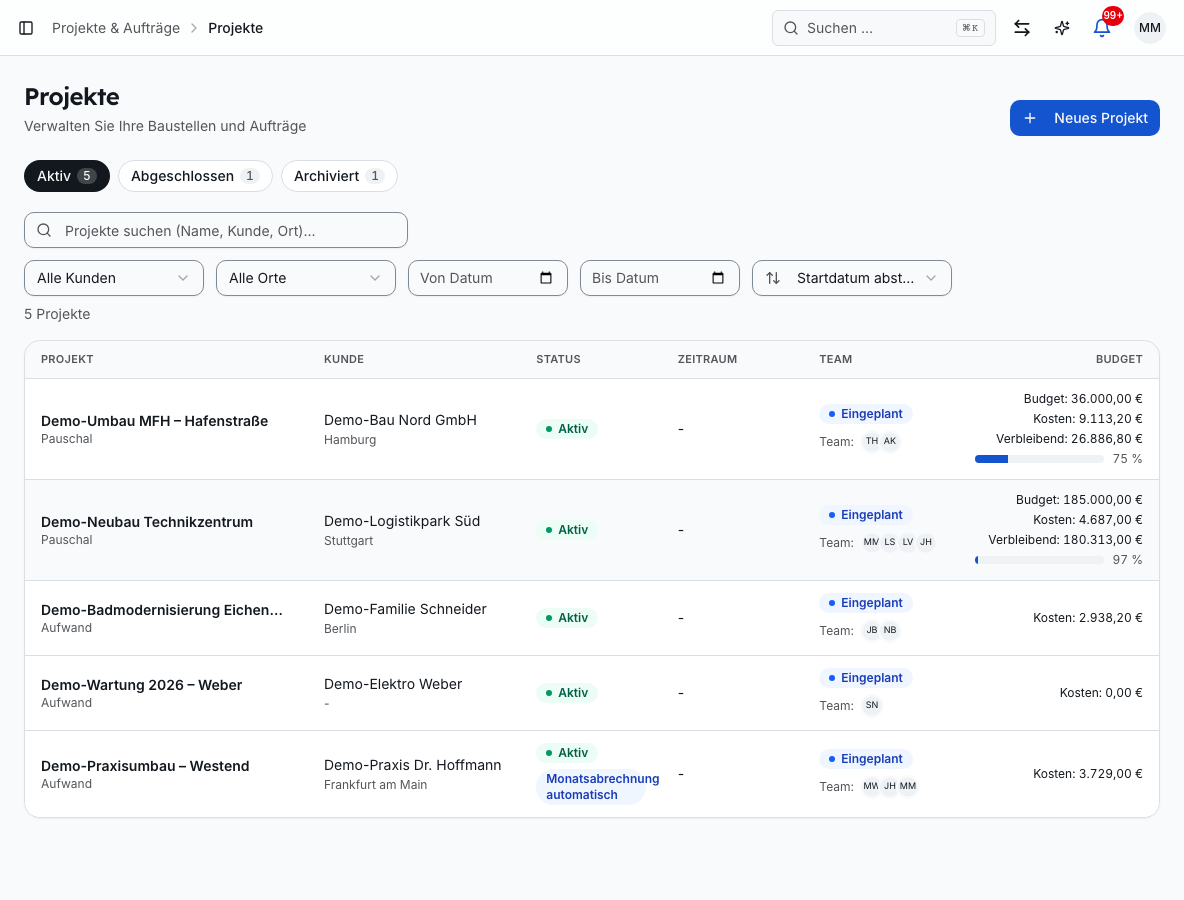
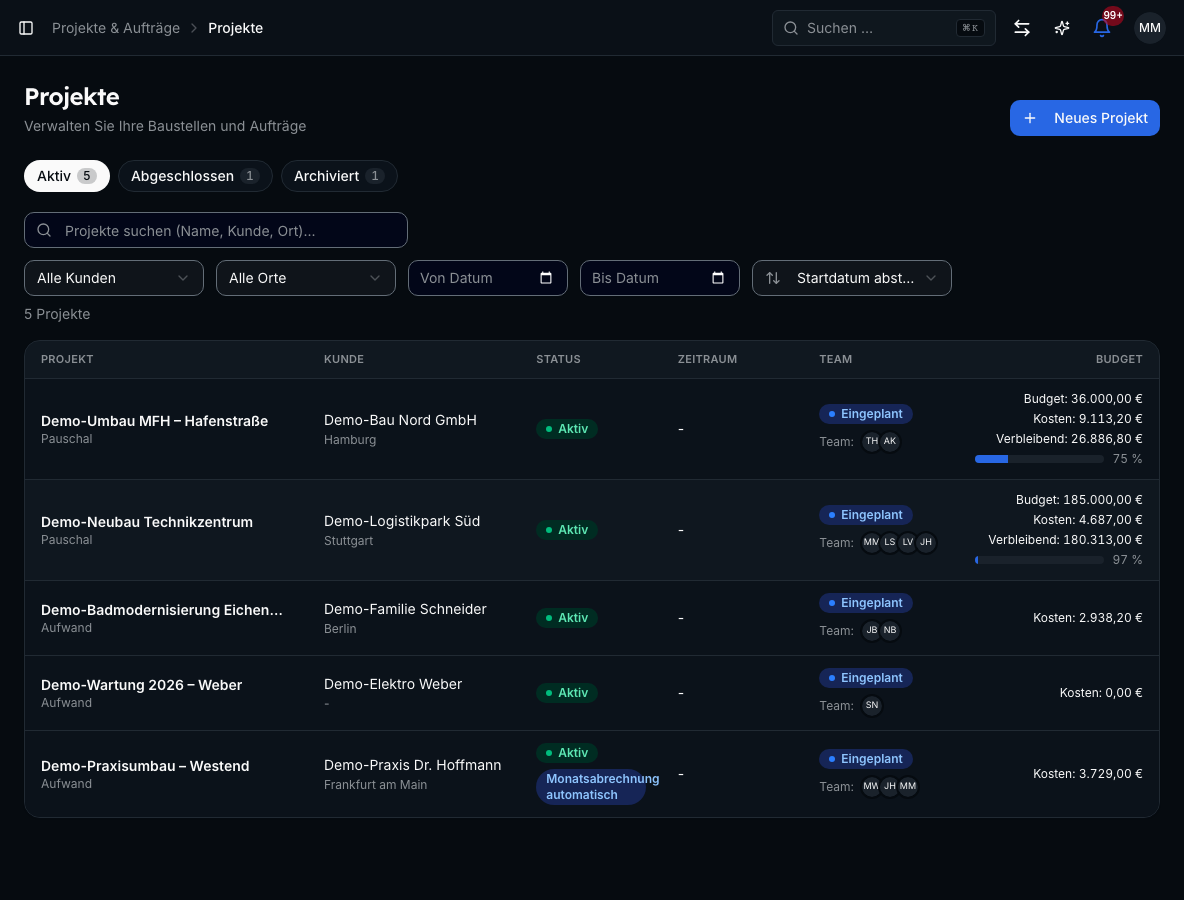
Keep track of all projects in team planning. Plan the assignments on your sites via drag & drop and follow progress in real time.
- Clear project list with project number and status
- Calendar view
- Several contacts and a claim number per project (insurance cases)
- Real-time updates
Employee planning
The right people at the right time in the right place: in team planning you always see your employees’ availability – coordinated with holidays and absences from the team calendar.
- Employee availability
- Plan assignments in one click
- Team calendar keeps absences in view
- Conflict detection
Team calendar
See at a glance when your team is available: holidays, sickness and other entries are shown together. That way you match capacity with assignment planning before you assign employees.
- Combined overview of the team
- Holidays and sickness visible
- Add your own calendar entries
- Fits project and assignment planning
Crew planning
Organise your employees into crews and teams and schedule them onto a site as a group – instead of each employee individually. If someone drops out, you see immediately on the planning board which crew still has room.
- Team organisation
- Group assignment
- Streamlined workflows
- Simple management
External calendars & personal calendar
Every user has a personal calendar with their own appointments, reminders and a webcal subscription link. You connect external calendars from Google, Outlook or Apple read-only – busy times flow into the planning without private details becoming visible.
- Personal calendar per user (webcal subscription)
- Connect Google, Outlook & Apple read-only
- Busy times taken into account in the planning
- Unified appointment dialogue (customer, blocker, reminder)
Weather right in the plan
In assignment planning, Bleno shows the weekly forecast for every site – temperature, rain, wind. If frost or storms threaten, Bleno warns you in good time so you can reschedule outdoor work before the crew drives out for nothing.
- 7-day weather forecast per site right in the weekly planning
- Warnings for frost, storms or heavy rain – one to three days in advance
- Thresholds adjustable per business (e.g. wind gusts, minimum temperature)
- Notification goes to the planners, not to every employee
Capacity across month and quarter
See how busy your team really is over the coming weeks. Capacity planning compares planned assignments with each employee’s individual target – holidays and sickness are already deducted.
- Utilisation per employee and crew for month and quarter
- Individual target per employee (part-time, apprentice, master craftsman)
- Free capacity at a glance – for taking on new orders
- Holidays, sickness and public holidays reduce the target automatically
The right people on the right site
Store qualifications per employee – welding certificate, fitness for work at height, driving licence. When you schedule someone, Bleno points it out if a project requirement is not met. And when things need to happen fast, you reschedule by voice.
- Qualifications per employee, requirements per project – suitability notice when scheduling
- Reschedule by voice via the admin AI (with the Lena add-on, in your office language): “Move crew North to Thursday”
- Limit the planning view for employees – everyone only sees their own assignments
- Conflicts with holidays, sickness and external calendars are shown immediately
Your team is in the loop – without endless phone calls
No more phone marathon on Sunday evening: if you change an assignment, the employee affected immediately gets a push notification on their phone and sees their current plan in the employee app. If someone who is scheduled calls in sick, Bleno warns you automatically.
- Push notification for every new or changed assignment
- “My plan” in the employee app – always up to date
- Warning if an employee who has called in sick is still scheduled
- Set the planning horizon: only release next week once it is fixed
- Reschedule by voice via the admin AI (with the Lena add-on, in your office language) – “Put Müller on the North hall tomorrow”
- Start time and meeting point per assignment – your team sees both in the app, with a map link
Customer appointments without chasing by phone
You enter appointments at the customer’s directly in the calendar. If you switch on customer SMS in the settings, the customer gets an SMS confirmation and a reminder two days before – so your people find a locked door less often. You confirm appointment requests that Lena takes on the phone (in German) with one click.
- Can be switched on: SMS confirmation to the customer when the appointment is created
- Can be switched on: automatic SMS reminder two days before the appointment
- Confirm or decline appointment requests from German-language Lena calls in the calendar
- Show employees’ private Google, Outlook or Apple calendars – conflicts stand out immediately
- Customers confirm appointments in the customer portal or ask to reschedule – you see their response right in the schedule
Benefits
Scheduling: what it does for you
- Better overview of all projects
- Optimised employee scheduling
- Team calendar for availability and absences
- Weather warnings before the crew drives out for nothing
- Capacity across month and quarter in view
- Fewer scheduling conflicts
- Time saved on planning
- In the browser on tablet and phone too
FAQ
Frequently asked questions
Yes. Assignment planning shows a 7-day weather forecast per site. If the forecast crosses your thresholds – such as frost, storm gusts or heavy rain – the planners receive a warning one to three days in advance. You set the thresholds in the settings under “Wetter” (Weather).
You decide. By default, employees see the team plan; but you can limit the planning view to their own assignments, so nobody sees other sites or colleagues’ assignments.
Yes. You create qualifications (e.g. welding certificate, forklift licence, fitness for work at height), assign them to employees and store requirements on the project. If a scheduled person lacks a requirement, Bleno shows a suitability notice when scheduling.
Yes, team planning lets you plan several projects at the same time. You see all projects and assignments at a glance.
Team planning shows you your employees’ availability. That way you can quickly see who is available for which site.
Yes. The team calendar brings together absences such as holidays and sickness as well as other entries for your team. It complements team planning when you want to plan capacity and match it against approved holidays.
You schedule employees or entire crews onto a project on the planning board and set from when until when they work there. Holidays and sick leave from the team calendar, the weather forecast per site and capacity across month and quarter are shown directly in the plan. Your employees then find their assignments in the Bleno app.
Yes, you can organise your employees into crews or teams and assign them to projects together.
Yes, in the browser on tablet and phone too – at bleno.de. In the Bleno app your employees see their own schedule; planning and rescheduling happen in the browser.
Matching features
These features work hand in hand in your daily work. You'll find all the others in the overview.
Time tracking
Employees record working time in the app – per project, with breaks and approvals.
Learn more – Time tracking →Site documentation
Daily reports, acceptance reports and photos – filed directly on the project.
Learn more – Site documentation →Temporary workers
Plan temporary workers like your own staff – record their hours in the daily report or let them clock in themselves via the app.
Learn more – Temporary workers →Lena admin AI (in English, German and more)Add-on
The AI assistant for the office: hand over tasks by chat or voice in English, German, Dutch, French, Italian, Spanish or Portuguese, ask about your figures and confirm every action with one click.
Learn more – Lena admin AI (in English, German and more) →Project management
One project file with tasks, times, materials, documents, emails and billing.
Learn more – Project management →Ready to get started?
Try Bleno free for 14 days, with no obligation. No credit card required.